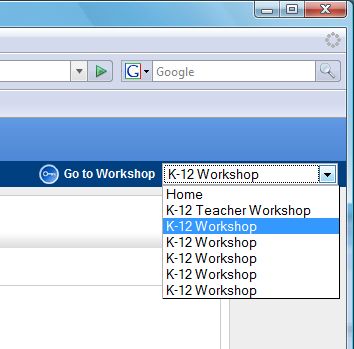
When a workshop is created, the Workshop Administrator typically assigns the team members to the workshops. The Manage Workshop Users interface allows multiple members to be added or deleted from the system at one time.
1. Select the Workshop from the drop down menu on the right.
2. Select Workshop Admin > Manage.
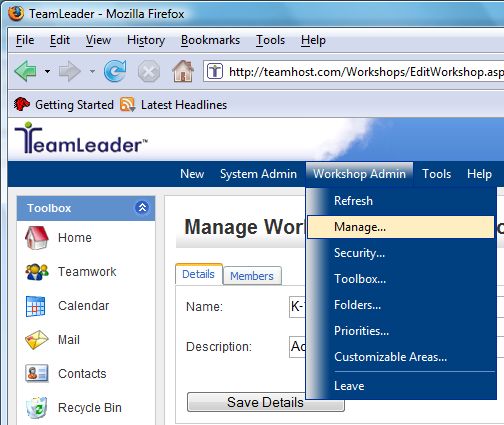
3. Select the Members tab.
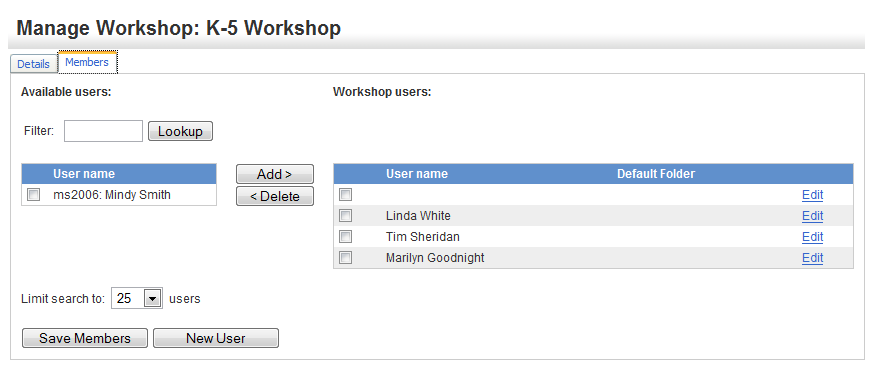
4. If you need to search for a person, enter the information into the filter box and select the Lookup button to display matching results.
5. To Add a User to the Workshop, highlight the User Name in the left window and click Add.
6. The User will be moved to the Workshop window on the right as shown below.
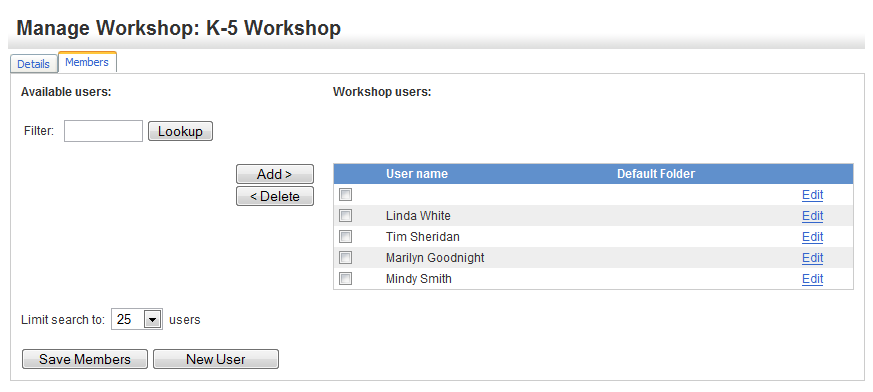
7. To Delete a User from the workshop, highlight the User Name in the right window and click Delete. The User will now appear in the left column as shown below.
Deleting a User from a particular workshop does not delete them as a User from the system.
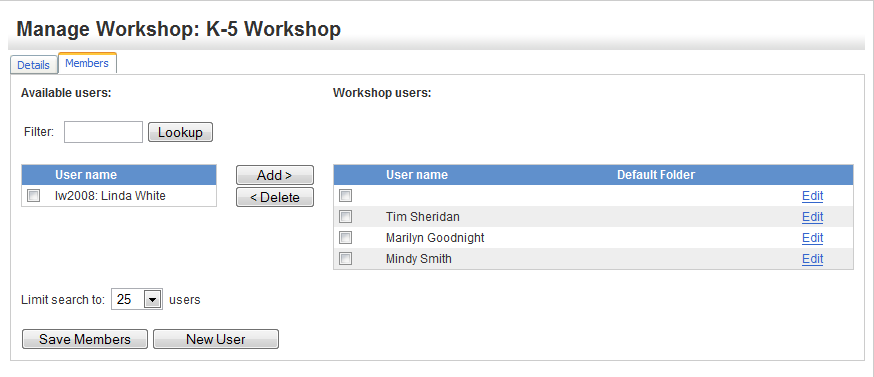
This screen also offers the ability to Add a New User.
8. Click the Save Members button when you are finished making changes.