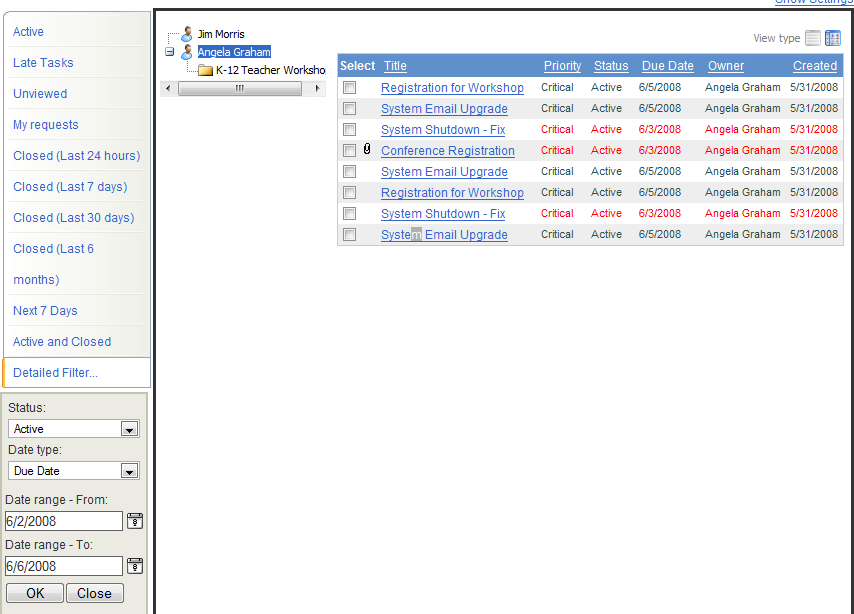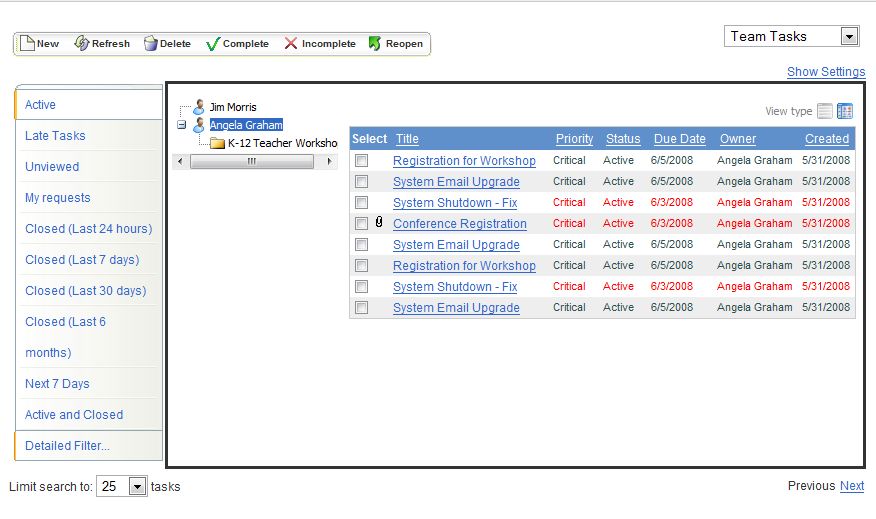
Tasks can be viewed using the menu next to the task list. You can look at all tasks that are open or closed, or create a detailed filter that shows only those tasks that meet specific criteria. Preset filter selections include:
Active Tasks
Late Tasks
Unviewed Tasks
My requests
Closed tasks (in the last 24 hours a day, 7 days, 30 days or 6 months)
Tasks due in the next 7 days
Active and Closed
Detailed Filter
Follow the instructions below to create a detailed filter for tasks. Once you have created a detailed filter and click on the tab, your tasks will be sorted and only those tasks matching your criteria will display.
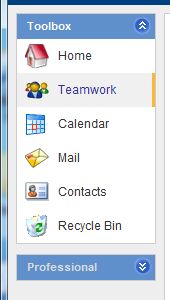
1. Select the Teamwork tab on the left.
2. Choose Detailed Filter.
3. Select a Status from the drop down menu.
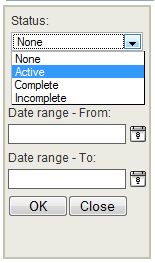
4. Select a Date Type.
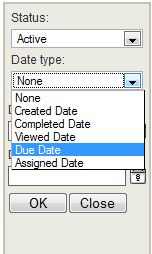
5. Choose the Start date.
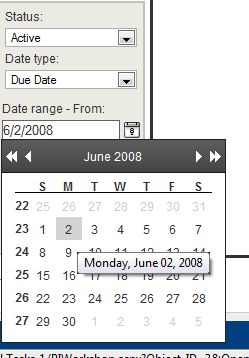
6. Select an End date.
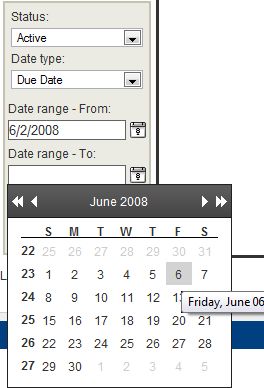
7. Click Ok when finished.
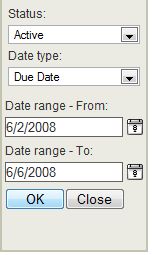
8. Now when Detailed Filter is selected, the results based on the criteria specified will display.