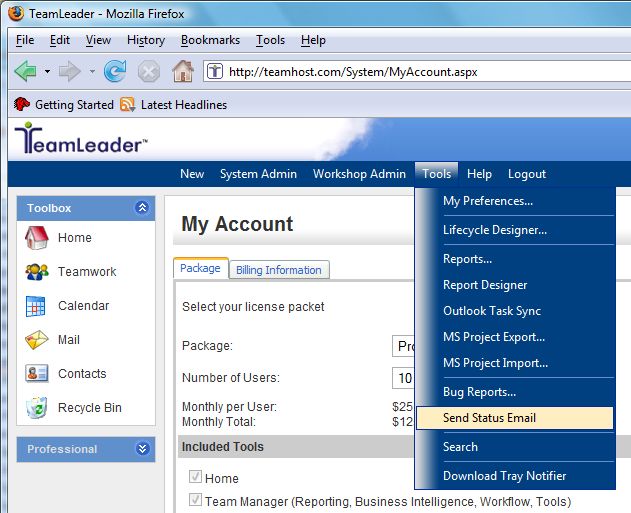
The status email function can provide an alert system for overdue tasks, tasks that are due in a preset time set by the user, and also tasks that have closed. The user can specify which type of tasks they would like to receive an email reminder for and how often. The system can be set up to function similar to a tickler file, in that it will notify you that a task is coming due in a predetermined number of days that you set by following the instructions below.
1. Select Tools > Send Status Email.
2. Select the following options:
Place a checkmark next to the items you want to activate by having an email sent to you.
You can select to have emails sent for only tasks assigned to you, assigned to all members, or place a checkmark next to All My Workshops.
Select who you want the emails sent to by placing a checkmark next to the appropriate boxes.
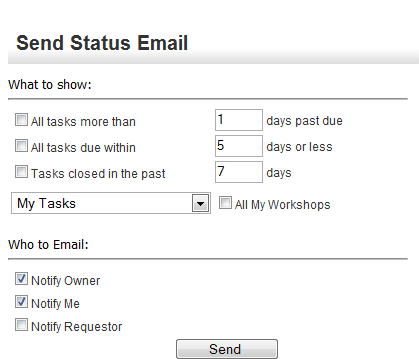
3. Click Send when finished.