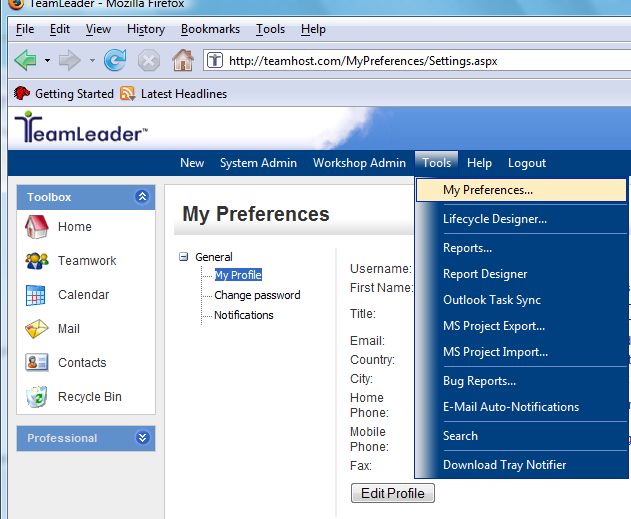
Below are the steps to update your profile information. As a user, your personal data is stored in the TeamLeader program and the profile feature allows you to make changes to that information.
1. Select Tools > My Preferences from the top menu bar.
2. Click the Edit Profile button and make any changes necessary on the screen below.
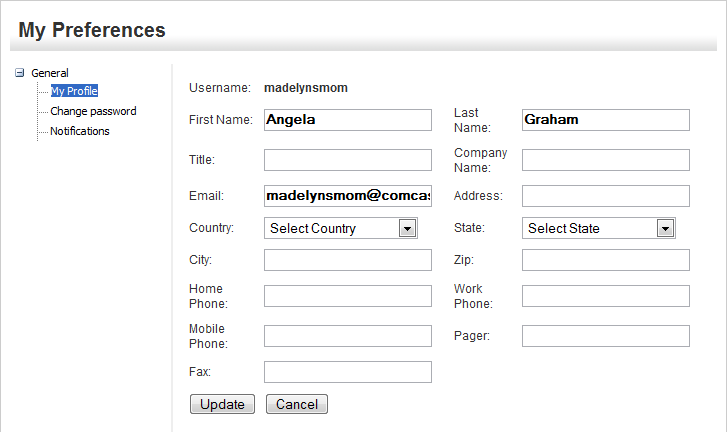
3. Click Update when finished.